
Brave 1.93 and later
Instructions for Windows · updated 12 Aug 2026
Fastest fix
CtrlShiftR
Hard refresh — reloads this page and ignores the saved copy.
Brave is Chromium-based, so its cache controls match Chrome’s closely. The cache checkbox lives on the Advanced tab.
Clear cached files
- Press
Mod+Shift+Delete, or open ☰ → Settings → Privacy and security → Delete browsing data. Pastingbrave://settings/clearBrowserDatainto the address bar works too.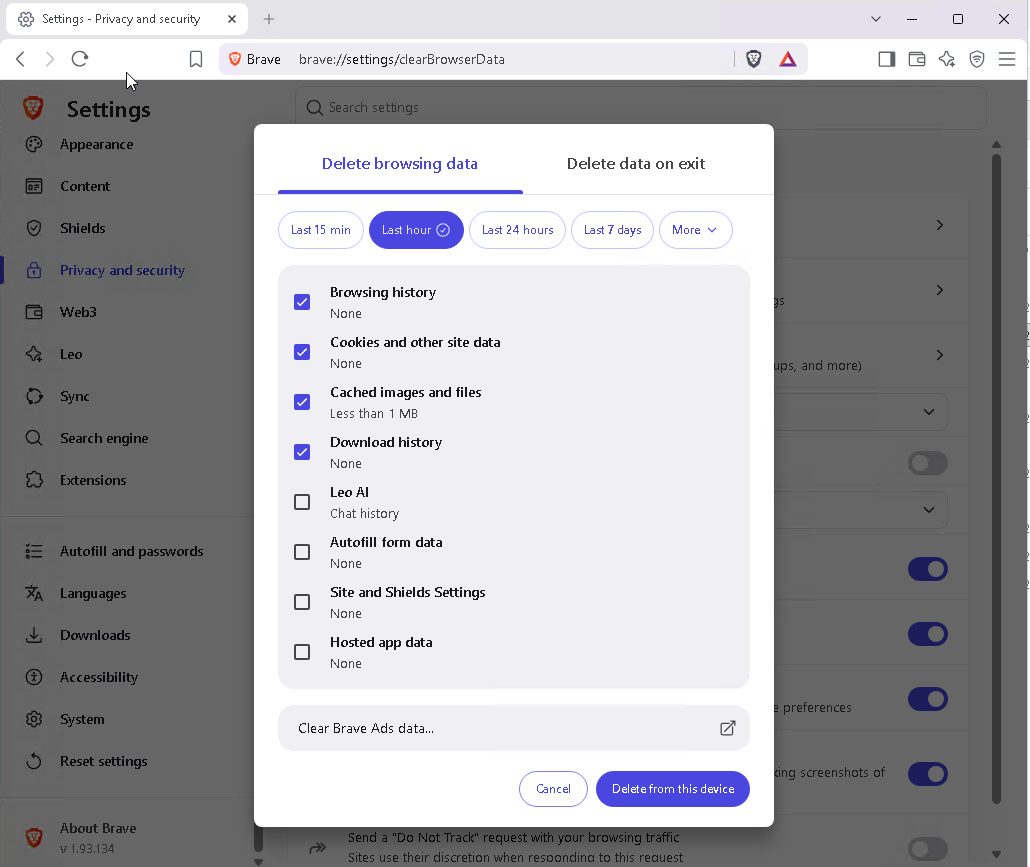
- Set Time range to All time.
- Tick Cached images and files.
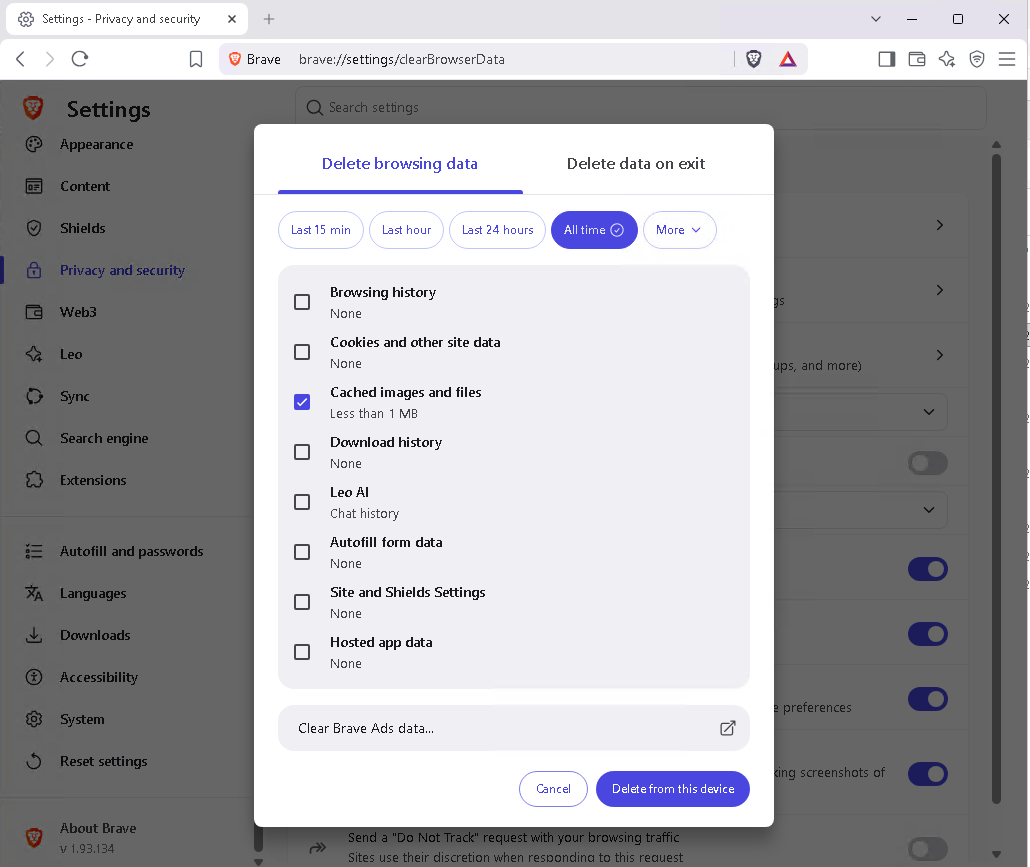
- Click Clear data.
Brave Shields blocks scripts and trackers on many sites. If a page is still broken after clearing the cache, click the Shields icon in the address bar and try lowering the blocking for that site.