
Vivaldi 8.1 and later
Instructions for all systems · updated 12 Aug 2026
Fastest fix
CtrlShiftR
Hard refresh — reloads this page and ignores the saved copy.
Vivaldi labels the option Cache rather than “cached images and files”, and puts the dialog under Tools instead of Settings.
Delete cached files
- Press
Mod+Shift+Delete, or open the Vivaldi menu → Tools → Delete Browsing Data.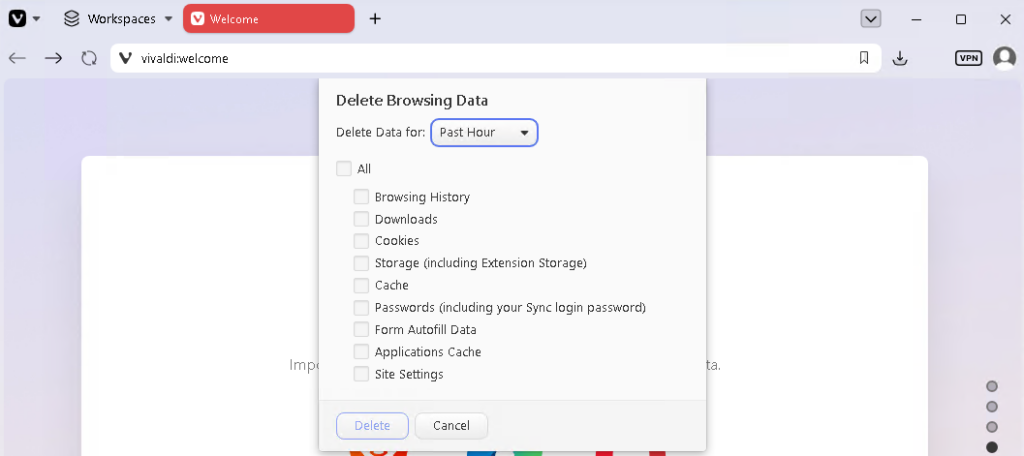
- Set the time range to All Time.
- Tick Cache and untick anything you want to keep.
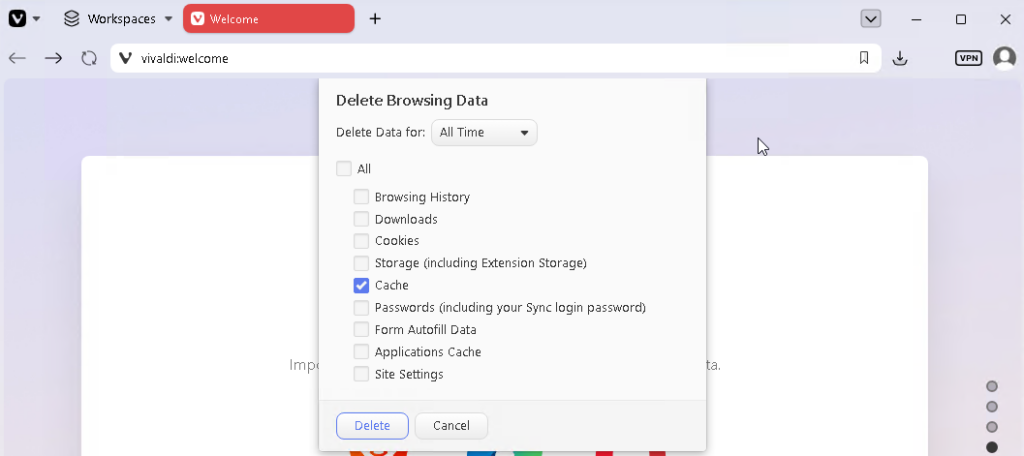
- Click Delete.
Vivaldi’s interface is heavily configurable, so your menu may sit in a different place — the keyboard shortcut works regardless of layout.